Help
| Message | What to do |
|---|---|
| “File outside the allowed folder” | upload the file from the computer |
| “Table no longer available” | Connect in the message opens the Database tab again with its connection |
| “Not enough numeric columns” | choose another dataset, or more columns |
| “Connection failed” | check the server, the port, the database, the user and the password |
| “The table already exists” (export) | choose “Replace the table” or “Append the rows”, or another name |
| The sign-in page shows | the session has expired: sign in again |
| The assistant says no model is set up | the administrator of the server must turn it on (API key) |
| “Address refused” (remote server, PACS) | the server is on a private network: the administrator can allow it |
| No code email (forgotten password) | look in the spam folder; otherwise, the administrator checks the sending of emails |
The assistant of the guide
The round button at the bottom right of each page of this guide opens its assistant: ask a question in your own words.
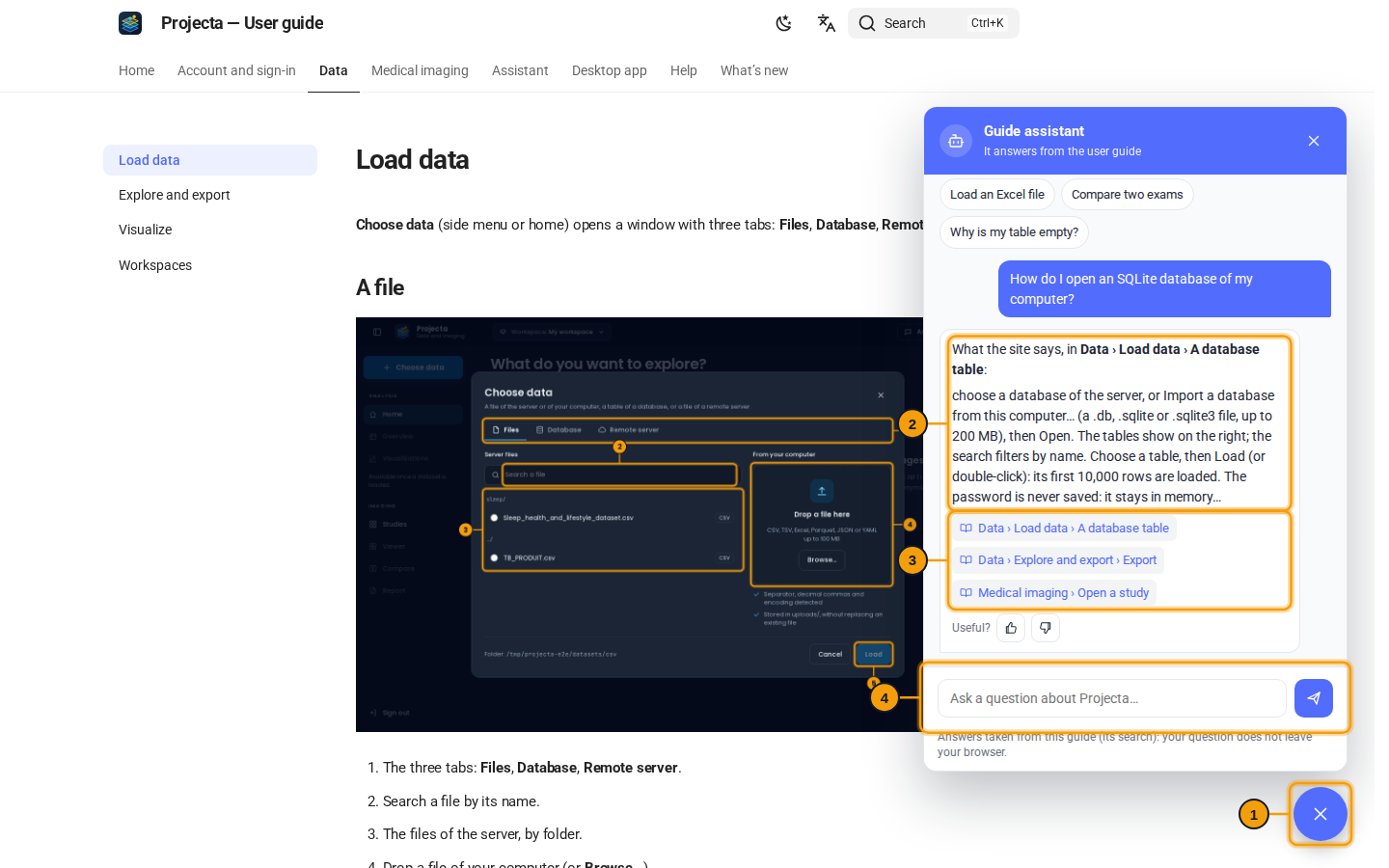
- The button: open or close the assistant.
- The answer, taken from this guide.
- The pages where the guide talks about it: a click goes there.
- Your question (or one of the suggestions above).
The assistant only knows this guide: it sees neither your data nor your account. Depending on your server, it shows the passage of the guide that answers, or writes an answer from these passages; check the important points on the page given. The conversation follows from page to page, until the tab is closed.
Another problem
Write to the administrator of your Projecta server, giving the time, the
screen and the message shown. If they ask for a request identifier,
it is in the browser’s tools (X-Request-ID header).